Presets that load in FL Studio
FL Studio vocal presets
A preset is only useful if it gets you most of the way in one click. Here's what's inside our plugins, how to load them in FL Studio, and how to turn your own chain into a reusable preset.
What POLOPRESETS presets are
Our presets live inside our plugins. You don't import a chain of someone else's plugins that you might not own. You install one VST3, open it on your vocal's mixer insert, and pick a factory preset from the menu at the top. Every preset is a starting point: load it, then turn the main knob until it fits your voice and the beat.
Presets by plugin
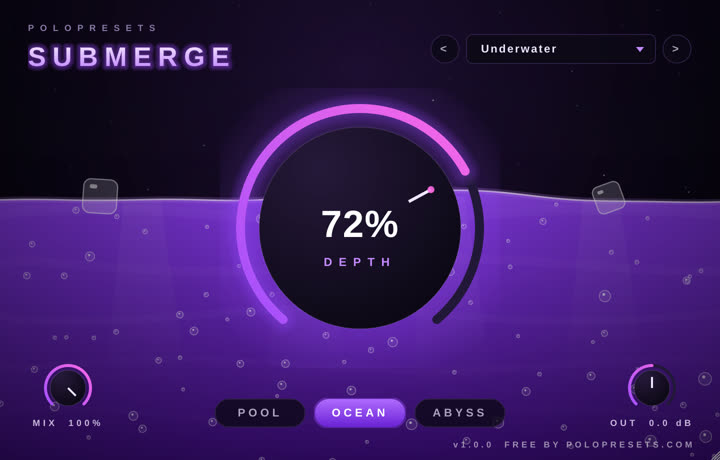
SUBMERGE (free)
Dry Land, Behind The Wall, Pool Party, Underwater, Lean Dream, Abyss and Half Sunk. Each one sets the DEPTH, water mode and mix for a different amount of underwater.
APOLLO
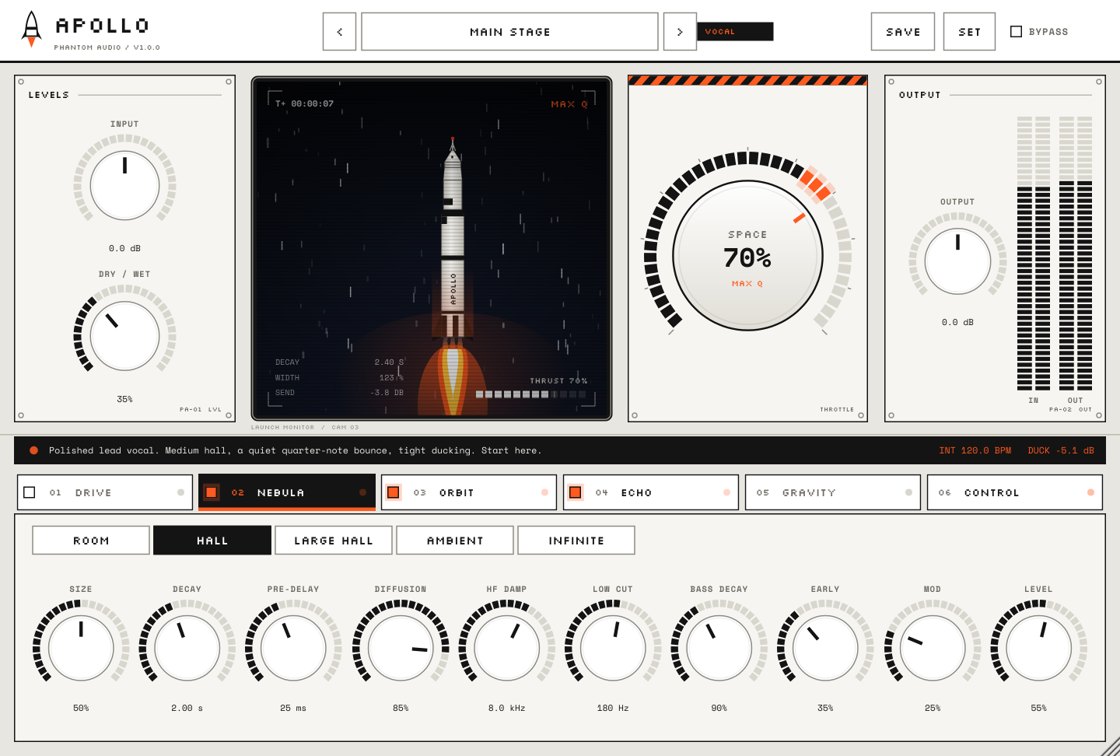
Factory presets including Main Stage, built on five spaces: Room, Hall, Large Hall, Ambient and Infinite.
UNDERGROUND DE-ESSER
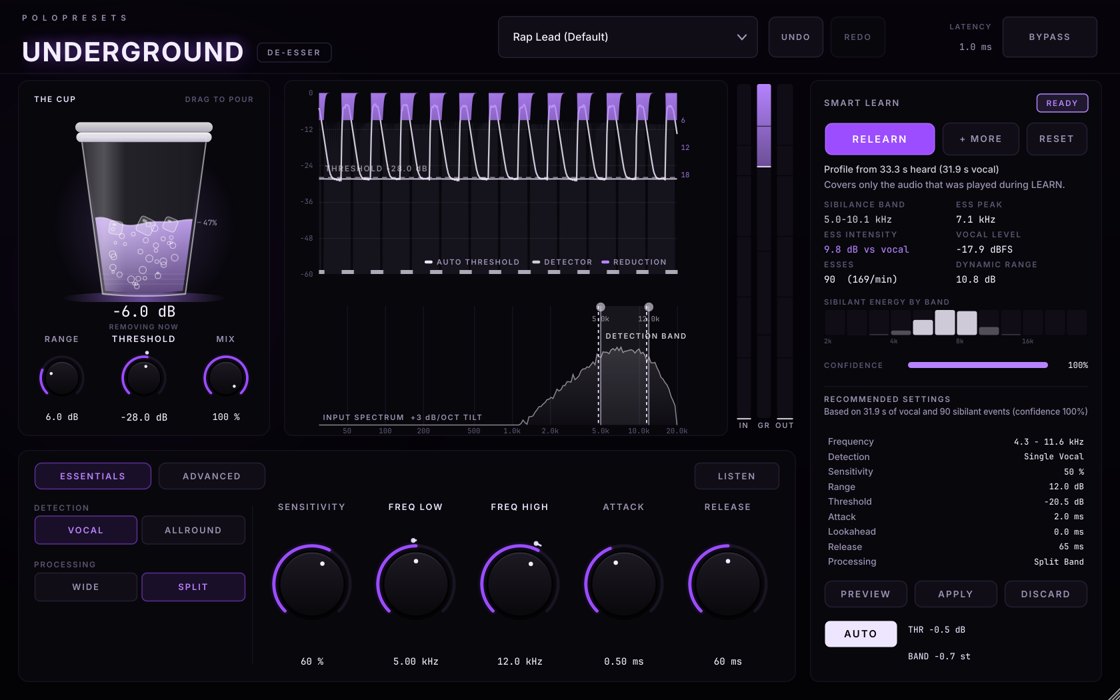
Factory presets including Rap Lead, plus Smart Learn, which sets the plugin to your voice.
PHANTOM VOCALS
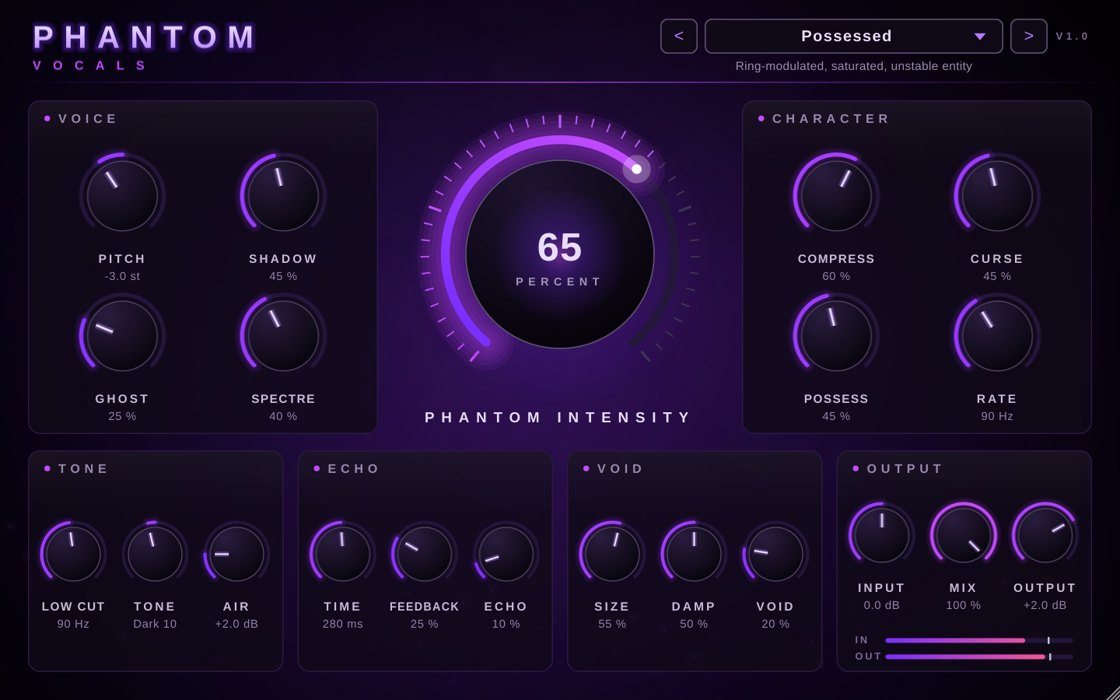
Factory presets including Possessed and Ghost Choir, from a subtle dark double to a fully possessed stack.
 APOLLO$9.99
Space FX
Reverb, delay and width on one knob. Turn up SPACE and your vocal lifts off, from a tight room to a full stadium to infinite.
 UNDERGROUND DE-ESSER$9.99
De-esser
The de-esser that learns your voice. Hit LEARN, rap a few bars and it finds your harsh S's and tames them, without killing the air in your vocal.
 PHANTOM VOCALS$9.99
Vocal plugin
Your voice, haunted. Stack it, choir it and drown it in the void. One knob takes you from subtle to straight possessed.
How to load a plugin preset in FL Studio
- Install the plugin. It goes into
C:\Program Files\Common Files\VST3. - In FL Studio, open Options → Manage plugins and click Find installed plugins. Star the plugin so it shows up in your effects list.
- Open the Mixer, select your vocal's insert track, click an empty effect slot and choose the plugin.
- Pick a preset from the plugin's own preset menu. Most of our plugins also let FL Studio step through presets from the plugin wrapper's preset arrows.
Save your whole vocal chain as an FL Studio preset
Once you've built a chain you like (EQ, de-esser, compression, effects), save the whole mixer track so you can load it on the next song in one move. In the Mixer, open the mixer track's menu and use File → Save mixer track state as. Next time, drag that state file onto an empty mixer track. Keep a few: a clean lead, a distorted lead, an adlib chain and a background-vocal chain.
Presets are a starting point
The same preset sounds different on every voice and every mic. Two quick rules: set the input level so your vocal peaks somewhere sensible before it hits the effects, and always compare with the effect bypassed at the same volume so you're not fooled by "louder sounds better".
More help: the best vocal effects for underground rap and how to get distorted underground rap vocals.