AP-01 · Space FX · Version 1.0.1
APOLLO
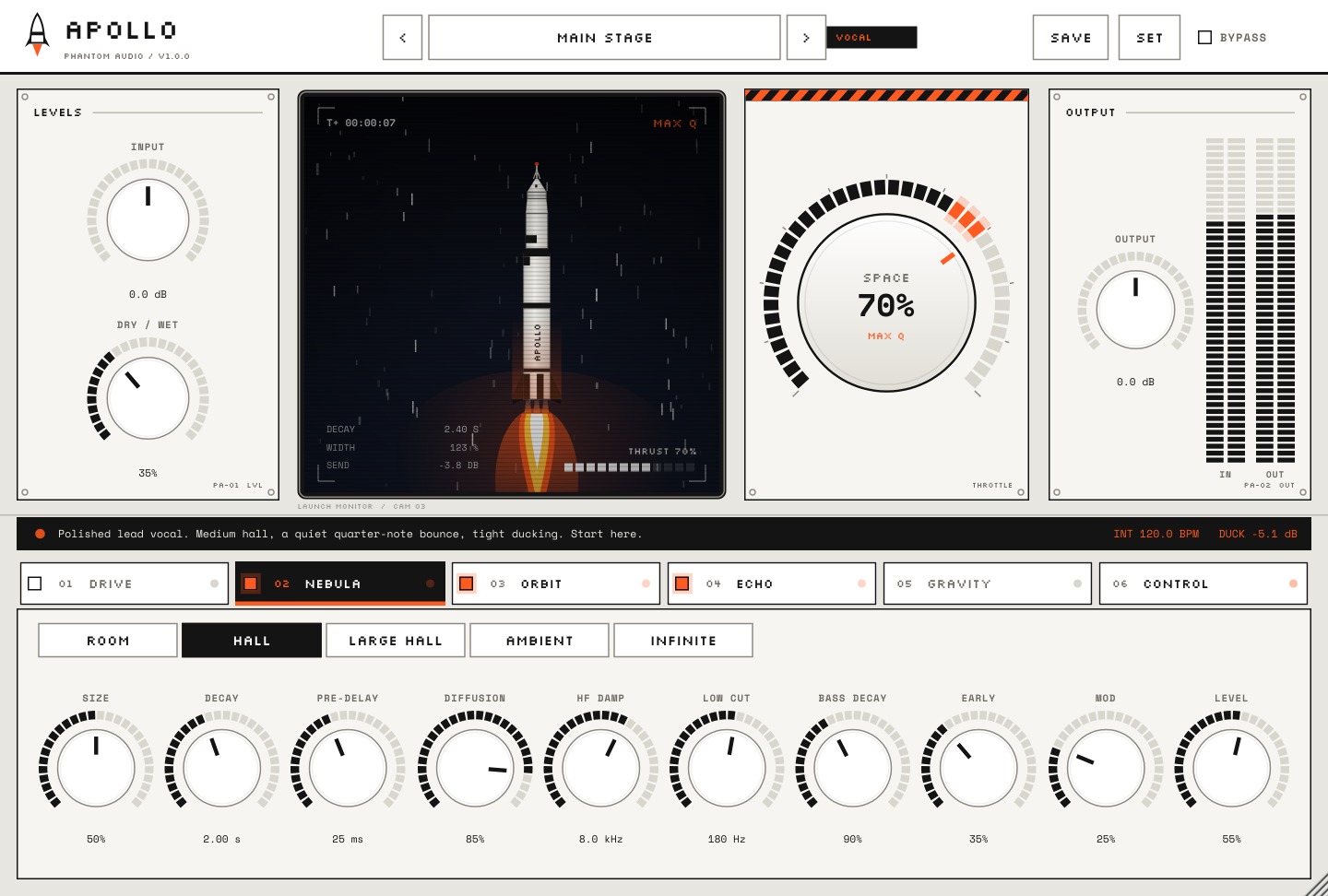
Reverb, delay and width on one knob. Turn up SPACE and your vocal lifts off, from a tight room to a full stadium to infinite.
$9.99Launch price. Normally $29.00
What it does
APOLLO puts reverb, delay and stereo width behind one giant SPACE knob, so you get a finished, wide vocal without building an FX chain. Pick a space from Room to Infinite, load a preset like Main Stage, and turn it up until your voice fills the beat.
What's included
- APOLLO plugin (VST3)
- Room, Hall, Large Hall, Ambient and Infinite spaces
- Factory presets, including Main Stage
- Step-by-step install guide
Compatibility
| Format | VST3 |
| System | Windows 64-bit |
| Works in | FL Studio + any VST3 DAW |
Windows 64-bit and a DAW that loads VST3 plugins.
Install in about 2 minutes
- Download the zip from your email or your My Plugins page and unzip it.
- Run the Setup.exe inside and click through the installer.
- It installs to
C:\Program Files\Common Files\VST3, the folder every DAW scans. - In FL Studio: Options → Manage plugins → Find installed plugins, then load it on your vocal's mixer insert.